

Subscription headers
What keqdroid sends to the panel when it downloads a subscription, and what it reads from the response.
This is what the response shows on the subscription card:
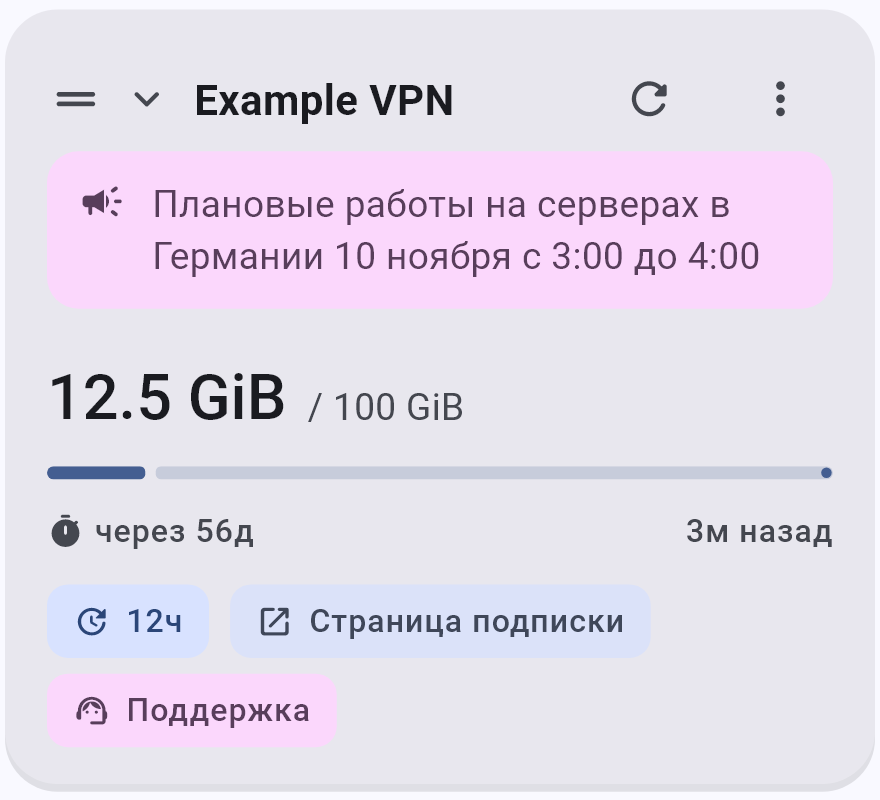
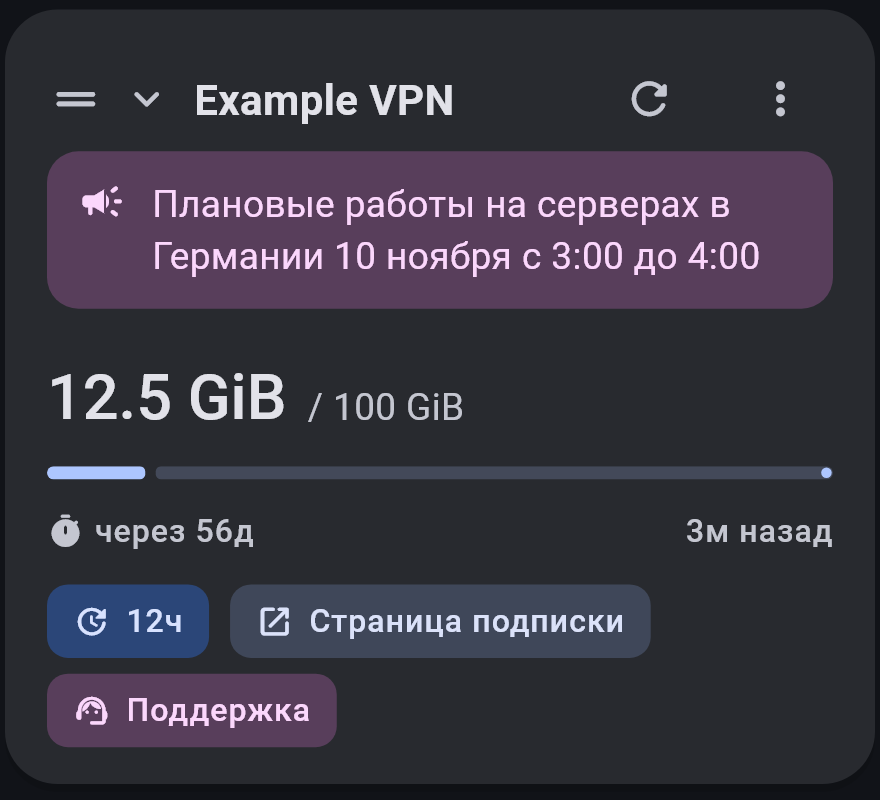
profile-titlesubscription name, unless you set your ownannounceprovider announcementsubscription-userinfoused and total: upload + download out of totalsubscription-userinfotime left until the end: expireprofile-update-intervalhow often to update the subscriptionprofile-web-page-url“Subscription page” buttonsupport-url“Support” button
The rest isn't shown on the card: the address to move to, the fallback address, the routing profile and the servers themselves.
Subscription address
Subscriptions are only downloaded over https, because they contain server keys, and over http any middleman can read them. Home network addresses and localhost are not accepted.
When the VPN is on, the subscription is downloaded through the server, not around it.
What the app sends
User-Agent
keqdroid/<version>, always with the current app version.
If the panel returns an HTML page or an error instead of a subscription, the app retries with the User-Agent of other clients: Happ, INCY, v2RayTun, v2rayNG, Streisand, Shadowrocket, FlClashX, Clash Meta for Android, Clash Verge, sing-box, and finally a browser. The User-Agent that got the subscription is remembered and tried first next time.
Device data
| Header | Value |
|---|---|
x-hwid | device ID |
x-device-os | Android, Windows or Linux |
x-ver-os | OS version |
x-device-model | phone model or computer name |
On Android the ID is the Android ID; on a computer the app generates one once and stores it. Values are sent in Latin characters only.
The user can turn these headers off (“Share device HWID” in “Advanced” settings) or set custom values and a custom User-Agent for a subscription (“Device identity” in the subscription settings).
What the app reads
Traffic and expiry
subscription-userinfo: upload=1073741824; download=5368709120; total=107374182400; expire=1798675200Traffic used is total in bytes (0 means no limit), and expire is the end date in Unix seconds. x-subscription-userinfo, userinfo and x-userinfo are accepted too.
If the header is missing, the app looks for traffic and a date in server names, for example 12.5 GB / 100 GB and 31.12.2026.
Subscription card
| Header | What it does |
|---|---|
profile-title | subscription name |
announce | announcement on the card |
support-url | “Support” button |
profile-web-page-url | “Subscription page” button |
profile-update-interval | how often to update the subscription, in hours |
- The name from
profile-titleis used only if the user hasn't named the subscription themselves. profile-titleandannouncecan be sent in base64, with or without thebase64:prefix.- The update interval is taken only on the first download, after that only the user changes it. Without this header the subscription updates every 12 hours.
- Button links are accepted only with
httpandhttps.
Moving and fallback address
| Header | What it does |
|---|---|
new-url | the subscription moves to a new address |
new-domain | the same, but only the domain changes |
fallback-url | a fallback address if the main one doesn't respond |
notification-subs-expire: 1 | a reminder that the subscription is ending (Android) |
When moving, only the subscription's address changes: the name, image, servers and routing profile stay. The new address is checked first, and the subscription moves only if that address really serves a subscription. Moving from https to http is not allowed.
With fallback-url, the subscription is downloaded from the fallback address when the main one doesn't respond, but the subscription address itself doesn't change, in case the main one comes back.
With notification-subs-expire: 1, a notification arrives once a day during the last three days before expire, as long as the panel keeps sending this flag.
Routing
| Header | What it does |
|---|---|
routing | routing profile for this subscription |
routing-enable: 0 | remove the provider's profile |
routing accepts a link in Happ format (happ://routing/add/…, as well as incy:// and keqdroid://), a Happ profile JSON or Xray rules, as is or in base64. The format is described on the Links page.
From Xray rules, only domain and address rules with the direct, proxy or block target are used. A rule with a port, protocol or process is skipped entirely, because without those conditions it would match more than intended.
The user can view the provider's profile but not edit it. If the user has turned on “Rules” in “Ignore from provider”, the profile is not accepted.
Remnawave device limit
If the panel responds with x-hwid-active: true together with x-hwid-max-devices-reached: true or x-hwid-not-supported: true, the user sees a clear error: the device limit is reached or the client is not supported.
Lines in the subscription body
#new-url https://new.example.com/sub/abc
#new-domain new.example.com
#fallback-url https://backup.example.com/sub/abc
#notification-subs-expire 1
These lines and a happ://routing/... link also work in the subscription body, including inside base64, and take priority over headers. #profile-title, #announce and the other lines from “Subscription card” are not read from the body, they have to be sent as headers.
What the body can contain
- a list of links, as plain text or in base64;
- a Clash or mihomo config;
- a sing-box config;
- an Xray config, one or a list.